TermHub
A native macOS app for managing terminal sessions across multiple project folders with automatic git worktree support.
Motivation
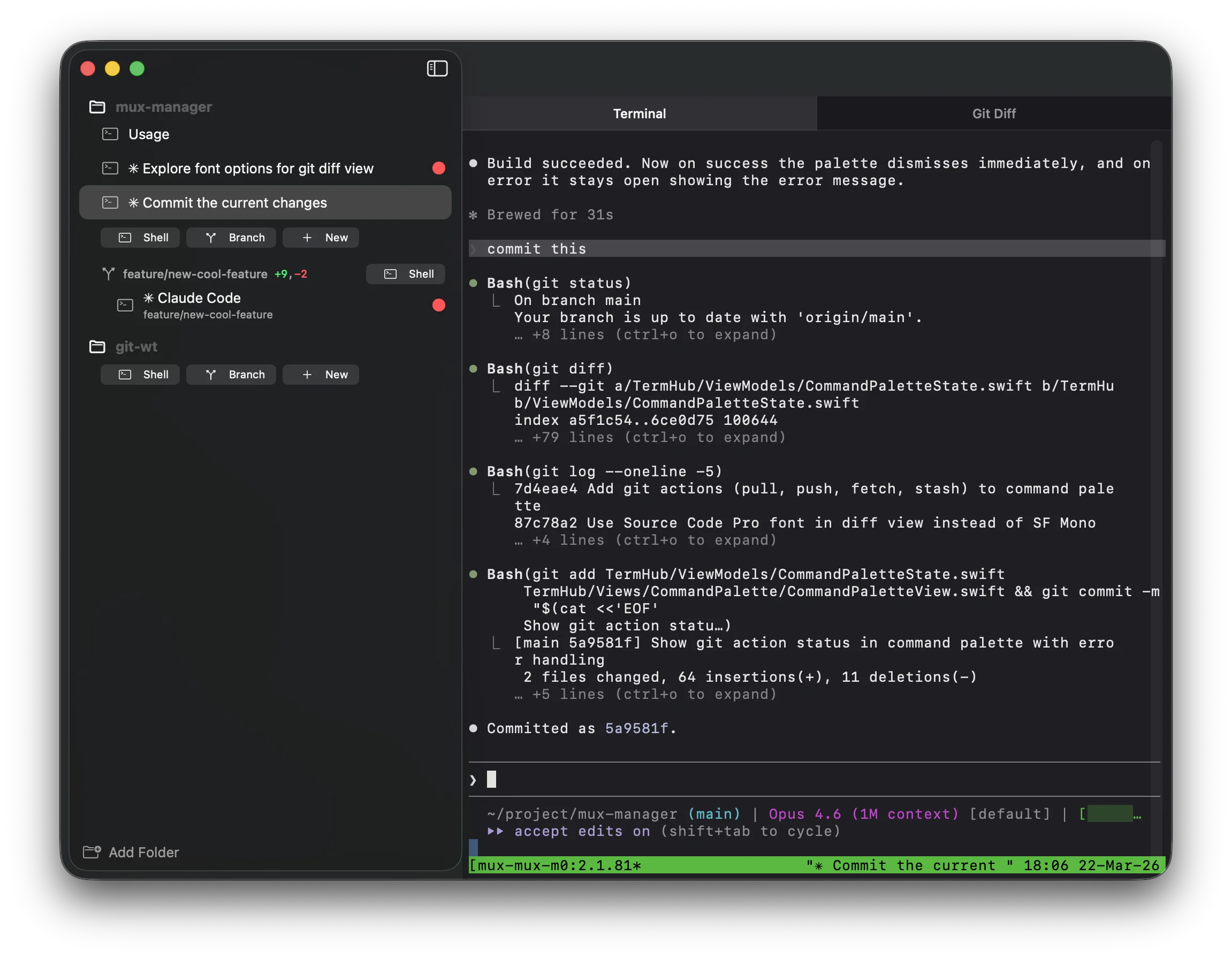
TermHub was created to make it easier to run multiple Claude Code sessions in parallel across different git repos and worktrees. When working with AI-assisted coding, it’s common to have several Claude sessions going at once – each working on a separate task in its own branch. TermHub keeps all of those sessions organized, makes it easy to switch between them, and notifies you the moment a session finishes or needs attention.
Features
-
Multi-folder terminal management – Organize terminal sessions by project folder. Sessions persist automatically across restarts.
-
Git worktree integration – Create worktrees from existing branches or new ones via a built-in branch picker with fuzzy search. Includes an inline diff viewer and per-session change indicators in the sidebar.
-
Docker sandbox support – Run sessions inside isolated Docker containers. Useful for letting AI coding agents work without affecting your host system. Supports multiple agent types including Claude Code, GitHub Copilot, Codex, and Gemini.
-
Implement in worktree – A Claude Code slash command that takes a plan from the current conversation, creates a new worktree, and opens a new TermHub session where Claude Code automatically starts implementing the plan. Optionally runs inside a Docker sandbox.
-
Tmux-backed sessions – Each session runs in tmux, so your work survives app restarts.
-
Command palette –
⌘Pto quickly access actions, sessions, and branches. -
Embedded terminal – Full terminal emulator powered by SwiftTerm.
-
Bell notifications – Sessions that emit BEL show an attention badge in the sidebar, useful for getting notified when long-running tasks complete.
Technology
TermHub is written in Swift and targets macOS 14.0 (Sonoma) or later. It uses SwiftTerm for terminal emulation and tmux as the session backend to ensure persistence.
The project uses XcodeGen for Xcode project generation from a project.yml configuration file.
Source Code
You can browse the entire code base on GitHub. https://github.com/miksto/TermHub